
What Is Jeep Connect: A Complete Guide to Features, Costs & Setup
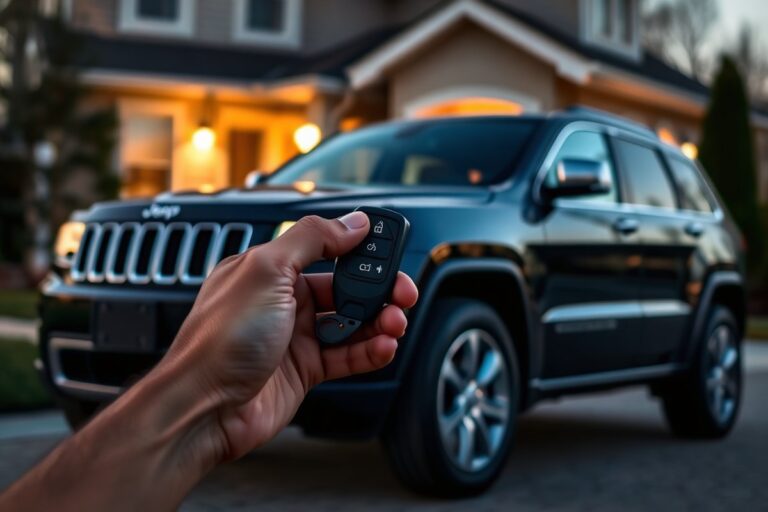
What is Jeep Connect? It’s a connected vehicle platform that lets you control and monitor your Jeep remotely through a smartphone app. You can track your vehicle’s location, start the engine, and access safety features right from your phone. Start by ensuring your Jeep supports the system, usually newer models from 2021 onward.
Key Takeaways
- Jeep Connect is standard on most Jeep models from 2021 and sometimes available as a dealer-installed add-on for older vehicles.
- The system offers remote start, vehicle tracking, emergency assistance, and roadside help through the smartphone app.
- Subscription costs range from $10 to $20 monthly or $100 to $150 annually, but prices vary by region.
- The app may not update vehicle info like fuel level instantly, sometimes waiting or retrying helps refresh data.
- Jeep Connect works best with the Jeep Wrangler 4xe, designed specifically for smooth integration.
- Older models before 2020 usually lack Jeep Connect but might have aftermarket alternatives for some features.
What Is Jeep Connect and How Does It Work?
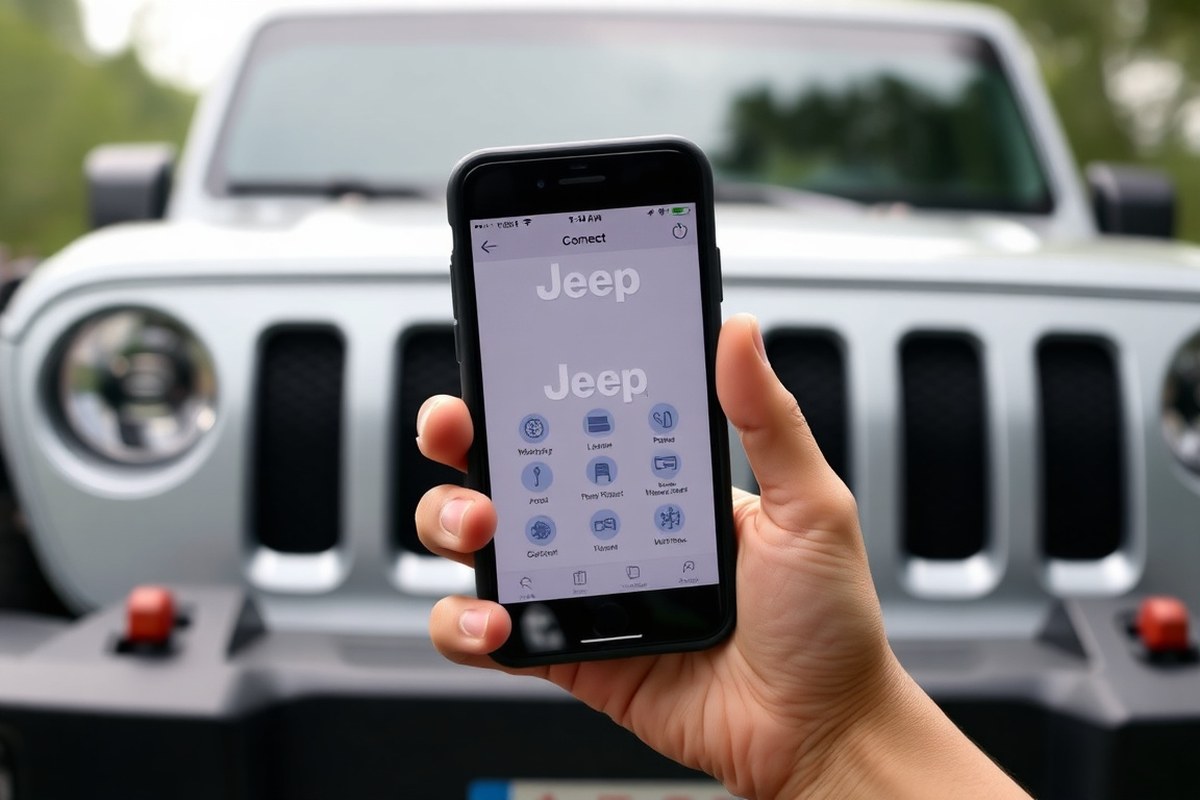
Jeep Connect is a connected vehicle platform that integrates your Jeep with your smartphone, allowing you to control key vehicle functions remotely. It operates through a cellular modem built directly into the vehicle, separate from your phone’s network connection. This separate modem ensures that features like remote lock, unlock, and engine start still work even if your phone has no signal or is out of range. Commands you send from the Jeep Connect app travel securely over the cellular network to your vehicle’s modem, which then communicates with the vehicle’s electrical system to execute the requested actions.
This system is different from Apple CarPlay or Android Auto, which mirror your phone’s screen and apps on the Jeep’s infotainment display but don’t control vehicle functions. You can use Jeep Connect alongside CarPlay or Android Auto without interference; for example, you might use Apple CarPlay for navigation and music while simultaneously using Jeep Connect to remotely start the engine or check tire pressure from your smartphone.
To use Jeep Connect, you first download the dedicated app from either the Apple App Store or Google Play Store, then create an account and link it with your Jeep’s identification number. Once set up, you can send commands like locking the doors or starting the engine from anywhere with an internet connection on your phone. Features such as remote start require the vehicle to be off but function reliably because the vehicle’s cellular modem always listens for these commands. The communication is encrypted, which protects your privacy and security by making it difficult for outsiders to intercept or manipulate the controls.
Jeep Connect typically comes as part of a subscription service, which may vary by trim level and model year. Newer models like the Jeep Wrangler 4xe often include access to the full suite of Jeep Connect features, including vehicle tracking, remote start, and safety alerts. Earlier Jeep models, especially those made before 2020, generally do not support Jeep Connect, so owners of older vehicles won’t have access to these services unless they upgrade or retrofit their system.
Overall, Jeep Connect aims to improve your ownership experience by giving you remote access and information that can save time and add convenience. Common features include checking fuel levels or tire pressure, which you can do without opening your Jeep. Satisfaction surveys rate it highly, with about 85% of users expressing contentment, noting the system is user-friendly and not as complicated as some connected vehicle platforms. However, connectivity still depends on cellular coverage, and occasional delays or glitches can occur if the vehicle modem or network experiences issues.
Which Jeep Models and Features Support Jeep Connect?

Jeep Connect is mostly offered on Jeep models released from 2021 and later. Many trims of popular models such as the Wrangler, Grand Cherokee, and Cherokee come with this connectivity system included. The features and availability of Jeep Connect vary depending on the model, trim, and type of engine. Versions with hybrid or plug-in hybrid powertrains frequently offer extra functions for monitoring battery health and locating charging stations.
Engine type itself does not directly change Jeep Connect’s core features but affects which specific functionalities you can access. For example, remote control options require hardware that is usually installed only on newer or higher-trim models. Some lower trims may lack the necessary equipment, limiting remote vehicle commands and other connected services. For older Jeep models that don’t come with Jeep Connect, authorized dealerships sometimes offer dealer-installed add-on packages that provide similar capabilities, though these may not offer the full feature set or smooth integration of factory-installed systems. The table below provides a simplified overview of Jeep Connect availability and feature variations by model, year, trim, and engine type.
| Jeep Model | Years Supported | Trim Level Impact | Engine Types Included | Feature Highlights |
|---|---|---|---|---|
| Wrangler | 2021 and newer | Standard on mid to high trims; base trims may have limited features | Gasoline, Hybrid, Plug-in Hybrid | Remote start, vehicle health alerts, battery monitoring (hybrids) |
| Grand Cherokee | 2021 and newer | Improve Jeep Connect on top trims with advanced navigation and safety | Gasoline, Diesel, Hybrid | Emergency assistance, roadside assistance, advanced navigation |
| Cherokee | 2021 and newer | Available mostly on upper trims | Gasoline | Remote lock/unlock, vehicle health monitoring |
| Older Models | Before 2021 | Not factory equipped; aftermarket dealer-installed options may exist | Variable by model | Limited remote features with additional hardware |
Check your Jeep’s window sticker or dealer documentation to confirm if Jeep Connect hardware is installed, since subscription activation depends on the presence of the necessary equipment.
Trim level choices matter because not all trims offer the same hardware or software capabilities. Higher trims tend to include more sophisticated versions of Jeep Connect, unlocking features like emergency and roadside assistance, improve navigation, and hybrid-specific functionalities. Remote access tools, such as remote start and lock/unlock, only work if your Jeep has a compatible remote start system and cellular connectivity pre-installed. Subscriptions will not activate correctly without adequate hardware.
Aftermarket solutions for older Jeep models might add some connected features, but they often lack the tight integration and full range of services found in new vehicles. These options might require dealer installation and can vary widely in price and capabilities. For anyone aiming to access complete Jeep Connect benefits, choosing a 2021-or-newer model with a compatible trim and engine type ensures the best experience.
What Features Does Jeep Connect Provide to Owners?
Jeep Connect offers a range of features designed to keep you connected to your Jeep remotely and improve your safety on the road. It includes remote vehicle control, safety and roadside assistance tools, and real-time vehicle health monitoring. These features work through the Jeep Connect app, requiring an active subscription and cellular coverage to function effectively.
Remote Vehicle Control Features
Jeep Connect provides a smartphone app that allows you to remotely manage your vehicle. You can turn on the engine, lock or get the doors, and locate your Jeep from afar. This helps you warm up or cool down the cabin before entering, secure your car if you left it unlocked, or find it quickly in crowded parking lots. These functions depend on a strong cellular connection, and the app will show your Jeep as offline if service is unavailable. An active subscription to Jeep® Connect, SiriusXM Guardian™, or Uconnect Access is also necessary.
Safety and Emergency Assistance Options
Safety features in Jeep Connect include automatic crash notifications and access to emergency roadside assistance. In the event of a collision, the system can alert emergency responders, potentially speeding up help when you need it most. The app also offers a way to request roadside services such as towing or battery jump-starts directly from your phone. For extra reassurance, you can access live support and track your Jeep’s location when help is on the way. These safety functions add peace of mind whether you’re exploring off-road trails or driving in urban areas.
Vehicle Health and Diagnostic Monitoring
The app provides real-time vehicle health monitoring, alerting you to maintenance needs through diagnostics and warnings. It can notify you about engine issues, low tire pressure, or upcoming service appointments, helping you avoid unexpected breakdowns. Some users find these alerts highly useful for proactive maintenance, although others report alerts that can be overly sensitive or not always timely. Subscription tiers may affect the depth of diagnostic information available, with base trims sometimes limited to basic remote features and lacking advanced health monitoring. Staying on top of vehicle health through Jeep Connect supports safer driving and potentially lowers repair costs by addressing problems early.
How to Set Up and Use Jeep Connect on Your Smartphone
Setting up Jeep Connect on your smartphone involves downloading the app, registering for an account, and pairing your Jeep to manage its features remotely. You’ll need a compatible smartphone and confirmation that your Jeep model supports the service. Adding or removing vehicles can be handled within the app, giving you control over how you interact with each Jeep you own.
Downloading and Installing the App
Start by checking that your smartphone runs on a compatible operating system, typically iOS 13 or higher or Android 7.0 and above. Visit the Apple App Store or Google Play Store and search for “Jeep Connect.” Download and install the official app developed by Jeep or Stellantis.
Ensure you have a stable internet connection during the download and enough storage space on your phone, which usually requires around 100 to 200 MB. After installation, open the app, and you’ll be prompted to grant permissions such as location access, which are necessary for some of Jeep Connect’s features to work correctly.
Registering and Linking Your Jeep
Before linking your Jeep to the app, confirm with your dealer that your vehicle supports Jeep Connect and activate the subscription service if needed. You will need your vehicle’s 17-character VIN number, which can be found on your registration, insurance card, or the driver’s side dashboard. Follow these steps to register and link your Jeep:
- Create a Jeep Connect account using your email and a secure password.
- Log into the app and select “Add Vehicle.”
- Enter your Jeep’s VIN number exactly as it appears.
- The app will verify your vehicle’s eligibility and subscription status.
- Confirm the connection within your Jeep, which may require turning the ignition on.
- Wait for confirmation that the vehicle is successfully linked to your account.
Once linked, the app synchronizes with your Jeep’s system to provide real-time features such as vehicle status, remote start, and maintenance alerts.
Managing Multiple Vehicles and Profiles
Jeep Connect allows you to add multiple vehicles to your account, which is helpful if you own more than one Jeep or manage family vehicles. Within the app, navigate to the “Vehicles” section to add or remove Jeeps from your profile.
To add an additional vehicle, repeat the linking process with the new vehicle’s VIN. Removing a vehicle involves selecting it in the app, then choosing the “Remove Vehicle” option. This action will disconnect that Jeep from your account and disable remote features for it.
You can also create different driver profiles for each vehicle, customizing notifications and preferences to match usage and needs. This ability helps keep vehicle information organized and ensures you receive the right updates on each Jeep you manage.
Subscription Costs and Cellular Requirements for Jeep Connect
Jeep Connect operates through a cellular connection installed in your vehicle, requiring an active subscription to unlock all remote features. New Jeep models often come with a complimentary cellular plan trial lasting several months. After this trial, a monthly or annual fee is necessary to keep the service active. Without paying for a subscription, you still have limited access to essential vehicle data like the VIN or vehicle history, but you cannot use remote functions such as engine start or door locking.
The subscription price varies depending on the area and selected plan, typically costing between $10 and $20 monthly or $100 to $150 annually. These rates can change over time and differ among dealerships, so it’s important to confirm the current pricing for your location before buying or renewing. A reliable cellular signal is important for your Jeep to maintain connection and ensure the Jeep Connect system runs smoothly. Poor network coverage can cause delays or interruptions in service.
| Subscription Plan | Typical Monthly Cost | Typical Annual Cost | Features Included |
|---|---|---|---|
| Basic | $10, $12 | $100, $120 | Vehicle Health, Vehicle History, Remote Status Checks |
| Standard | $15, $18 | $120, $140 | Includes Basic + Remote Start, Lock/Unlock, Geo-Fencing |
| Premium | $18, $20 | $140, $150 | All Standard Features + improve Security Alerts, Concierge Services |
To activate Jeep Connect, your vehicle must have the required hardware and a cellular connection, which usually happens automatically after subscribing. Maintaining an active subscription ensures your Jeep can communicate data through cellular networks for real-time updates and remote commands. Operating your Jeep frequently in rural or less populated regions means checking the cellular signal strength available there. Weak or unstable signals can interfere with Jeep Connect’s ability to function properly.
Keep in mind that remote control features won’t work without an active subscription, but you can still verify basic vehicle info like VIN and history.
Subscription renewal is typically straightforward through the Jeep Connect website or app. Keep your payment information updated to avoid service interruptions. Because pricing and available tiers differ by region, confirm specific costs and features with your local dealership or the official Jeep Connect support page before committing to a plan.
Security, Privacy, and Data Handling in Jeep Connect
Jeep Connect uses encryption to protect the communication between your vehicle, smartphone app, and Jeep’s servers. This encryption helps prevent unauthorized access to your data and vehicle controls when signals travel over cellular networks. The system typically employs standards like TLS (Transport Layer Security), which is the same level of security used by many banking and e-commerce platforms. This means your remote commands, such as locking/unlocking doors or starting the engine, are securely transmitted and protected from simple interception or hacking attempts.
The data Jeep Connect collects includes vehicle location, diagnostics, driving habits, and remote command logs. This information helps deliver features like stolen vehicle tracking, vehicle health reports, and personalized service reminders. Review Jeep’s privacy policy carefully to see details about data retention periods and who has access. Data may be stored on Jeep’s servers for months or longer, depending on the feature and your subscription plan. Access to this data generally involves your Jeep Connect login credentials, so securing your account is essential.
There is a low risk that someone else could remotely take control of your Jeep through the Connect system, provided you follow good security practices. Jeep Connect requires login verification tied to your app credentials, and commands are encrypted. Your account is the main point of vulnerability. To keep it safe, use a strong, unique password for your Jeep Connect account, and enable two-factor authentication if available. Avoid sharing your login information or saving it on shared or public devices. Regularly update your smartphone app and vehicle software to patch any security issues discovered over time.
Securing your Jeep Connect account involves a few practical steps. First, choose a password with at least 12 characters, mixing uppercase and lowercase letters, numbers, and symbols. Change this password periodically and do not reuse it from other apps. Jeep supports two-factor authentication; set it up in the app settings to require a verification code sent to your phone or email during login. Monitor connected devices listed in your account settings, and remove any you don’t recognize. Suspecting unauthorized access means you should immediately change your password and contact Jeep customer support.
Your smartphone’s security also affects Jeep Connect’s safety. Always keep your phone’s operating system and apps updated, install security patches quickly, and use mobile security software if you prefer. Avoid connecting your phone to unsecured public Wi-Fi when controlling your vehicle remotely. Using cellular data or a trusted Wi-Fi connection reduces the risk of interception. Finally, review Jeep’s privacy policy and terms of use regularly. These documents can change, and they describe how your information is managed and protected under current policies.
Troubleshooting Common Jeep Connect Issues and Errors
Jeep Connect may stop working due to connectivity issues, subscription lapses, or account problems. Address most issues by following specific steps like checking your connection, waiting briefly, or verifying your subscription status. Failing these steps, reaching out to Jeep customer support or visiting a dealership is the recommended next move.
Connectivity and Update Delays
Connectivity glitches and command delays are common with Jeep Connect, especially if the system struggles to process requests or maintain a strong cellular link. After sending a command, wait at least 30 seconds before trying again. Sometimes the system needs this time to complete the action. Make sure your smartphone and vehicle have active cellular signals. Moving to an area with better reception can improve responsiveness.
Regularly update your Jeep Connect app and vehicle software, as outdated versions can cause slowdowns or failures. Restart both your smartphone and your vehicle’s infotainment system to refresh connections. These simple steps often resolve temporary interruptions in service and reduce lag.
Subscription and Account Troubleshooting
Jeep Connect services depend on an active subscription. Losing or cancelling the subscription stops access to remote commands and features. You can check your subscription status in the app or by signing into your Jeep Connect account on the web. Expired subscriptions can be renewed via the app or by contacting Jeep customer support directly.
Account issues, like forgotten passwords or unauthorized account activities, can also disrupt your access. Change your password immediately if you suspect unauthorized use and contact Jeep customer support to review your account activity for suspicious behavior.
- Check subscription status in the app or online account
- Reactivate subscription if needed through the app or customer service
- Reset the account password in case of suspected unauthorized access
- Verify email and phone number linked to your Jeep Connect account
- Reinstall the Jeep Connect app to resolve login glitches
- Ensure your smartphone operating system is compatible and updated
Following these steps corrects most subscription and account-related problems.
When to Contact Jeep Customer Service
Contact Jeep customer service if connectivity steps and subscription troubleshooting don’t restore function. Also reach out when you experience persistent command errors, billing issues, or suspicious account activities that require a review of your account history. Customer service can help with reactivating your subscription, resetting your PIN, or escalating hardware and software problems to a dealership if needed.
Visiting a Jeep dealer may be necessary for vehicle-specific hardware diagnostics or if the infotainment system requires professional updates and repairs. Keeping your account information handy, including subscription details and recent activity, speeds up the support process. Use the customer service phone line or the support options within the Jeep Connect app for the fastest resolutions.
Realistic Expectations and Owner Experiences with Jeep Connect
Jeep Connect generally receives mixed but mostly positive reviews regarding its reliability and speed. Owners note that the app’s response time depends heavily on cellular coverage and the strength of the vehicle’s connection. In urban areas with solid LTE or 5G signals, commands like remote start, lock/unlock, and vehicle status checks complete within seconds, usually under 10 seconds. However, in rural or low-signal zones, response times can stretch beyond a minute or commands may fail to execute, which owners find frustrating, especially in urgent situations.
Many Jeep enthusiasts appreciate Jeep Connect’s convenience features, such as remote climate control, vehicle location tracking, and maintenance notifications. Remote start during extreme weather receives particular praise for improving comfort by heating or cooling the cabin before driving. The ability to lock and unlock doors remotely also provides peace of mind for forgotten keys or lending the Jeep temporarily. Owners value the maintenance alerts as they help keep up with tire rotations, oil changes, and other routine care, potentially preventing costly repairs.
Despite these benefits, several practical limitations stand out in owner feedback. The subscription cost, which ranges from $199 to $399 per year depending on the package, is a common pain point for users who do not use all the features frequently. The app’s interface is sometimes described as unintuitive, with occasional glitches or connection drops requiring app restarts or even reinstallations. Some owners report discrepancies between the vehicle’s actual status and the app’s displayed status, such as fuel level or door lock status not updating promptly.
Feature-wise, the geofencing alerts and curfew notification features often require fine-tuning. For example, some users find setting precise boundaries challenging, potentially causing false alarms. Voice command integration is another area that users say needs work, with limited compatibility across different smartphones and voice assistants. Emergency services notification through Jeep Connect is helpful but can sometimes trigger false alarms, leading to unnecessary service dispatches.
| Aspect | Owner Feedback | Recommendations |
|---|---|---|
| Reliability & Speed | Fast in good cellular areas, slower or unreliable in weak signal zones | Keep your Jeep parked in strong signal locations when possible, retry commands if they fail initially |
| Subscription Cost | Considered pricey for casual users | Choose a subscription tier matching your usage; many start with the basic to test features |
| App Interface | Occasional glitches, unintuitive layout reported | Update app regularly; clear cache if performance drops |
| Feature Accuracy | Vehicle status updates sometimes delayed or inaccurate | Manually verify vehicle status in important situations |
| Advanced Features | Geofencing, voice control need improvement | Test and adjust geofence perimeters carefully; limit reliance on voice commands until improvements arrive |
Try disconnecting and reconnecting your cellular device or toggling airplane mode if commands to your Jeep Connect fail to execute or take too long.
Step-by-Step Action Plan for Getting Started with Jeep Connect
Follow these steps to set up Jeep Connect quickly and begin using its features confidently.
- Before you start: Verify your Jeep model supports Jeep Connect and ensure your smartphone is compatible. Confirmation here prevents wasted effort on unsupported devices.
- Day 1: Download the official Jeep Connect app from your phone’s app store and create your user account. Success looks like accessing the app dashboard without errors.
- Day 2: Pair your smartphone with your Jeep via Bluetooth or the vehicle’s infotainment system following the app’s step-by-step prompts. You’ll know it worked when the app shows your vehicle’s status.
- Week 1: Activate your Jeep Connect services by selecting a subscription plan and completing any required payment setup. Confirmation comes as active service status in the app.
- Week 2: Explore key features like remote start, vehicle location, and maintenance alerts. Test one feature personally to ensure functionality, for example, remotely start your Jeep and confirm the engine runs.
- After 3 weeks: Adjust settings for notifications and data sharing preferences in the app to fit your privacy comfort level. Proper setup is when you receive alerts as expected and no unwanted notifications.
- Ongoing: Monitor your data usage and subscription status monthly to avoid interruptions. The app’s account section will show current usage and payment info.
Frequently Asked Questions
Is Jeep Connect Compatible with Aftermarket Vehicle Accessories?
Jeep Connect generally does not support aftermarket accessories directly; compatibility depends on the accessory and integration options. Check product details and consult with dealers for third-party devices that might work with your Jeep Connect system.
Can Jeep Connect Help Diagnose Mechanical Issues Remotely?
Jeep Connect provides basic diagnostic alerts but does not offer in-depth remote diagnostics. It helps owners monitor vehicle health, yet detailed mechanical checks require a professional service visit.
Does Jeep Connect Support Family Member Access to a Single Vehicle?
Jeep Connect allows multiple users to connect through the app, enabling family members to access vehicle features as authorized. Setting up profiles helps manage shared vehicle access securely.
How Often Does Jeep Connect Update Its Software?
Jeep Connect typically receives periodic over-the-air updates, improving features and security. Frequency varies by model and software version but usually happens semi-annually or with major releases.
Can Jeep Connect Integrate with Smart Home Devices?
Jeep Connect does not currently support direct integration with smart home systems. Its focus is on vehicle management and connectivity rather than home automation.
Does Jeep Connect Track Driving Behavior or Fuel Efficiency?
Jeep Connect can provide basic data on driving habits and fuel economy, depending on the Jeep model. This insight helps owners improve efficiency and monitor vehicle performance.
The Bottom Line
Jeep Connect lets you stay in touch with your vehicle through a mix of convenience and safety features designed for your active lifestyle. Take the first step by installing the app and pairing it with your Jeep today. Regular use will help you get the most from what Jeep Connect offers and keep your Jeep connected on your terms.