How to Reset Uconnect Jeep in 10 Easy Steps
If your Jeep’s Uconnect is acting up, start by safely parking and powering off your vehicle. Then, turn the ignition on without starting the engine.
Press and hold both the volume and tuning knobs for about 10 seconds until the Uconnect logo appears to perform a soft reset. If needed, back up your settings beforehand.
From there, you can recalibrate GPS, update software, or try a master reset to fully restore functionality. Keep going to discover more detailed steps and tips.
Key Takeaways
- Turn on ignition without starting the engine and press both volume and tuning knobs simultaneously for 10 seconds until Uconnect logo appears.
- Hold the hot and cold temperature buttons together for 5 seconds with the vehicle running to perform a full system reset.
- Back up Bluetooth pairings, radio presets, and settings before performing any reset that erases data.
- Calibrate GPS by driving five tight circles below 5 mph in an open, flat area after resetting.
- Keep the engine running during software updates via USB to ensure uninterrupted installation and verify update completion.
5 Signs Your Uconnect Jeep Needs a Reset

How do you know when your Uconnect system needs a reset? Watch for clear signs like an unresponsive or frequently freezing touchscreen.
Look for signs like an unresponsive or freezing touchscreen to know when your Uconnect system needs a reset.
When apps fail to launch or your Bluetooth connection keeps dropping, these system issues hint that a reset might be necessary. You may also notice automatic reboots or error messages appearing on the Uconnect screen, which are strong indicators the system isn’t working properly.
Audio problems, such as no sound or distorted audio, often resolve after a reset. Furthermore, if your GPS navigation malfunctions or lags, it’s another sign the system software might need recalibrating through a reset.
Recognizing these signs early helps you avoid further complications and keeps your Uconnect running smoothly. When you spot any of these symptoms, performing a reset can often quickly fix the underlying system issues without needing professional help.
Prepare Your Jeep Before Resetting Uconnect
Before you reset Uconnect, make sure to turn off your Jeep completely and take the key out to power down the system. It’s a good idea to back up any important data, like your radio presets and contacts, so you don’t lose them. Also, check your battery’s charge or keep the engine running to avoid any interruptions during the reset.
Power Down Vehicle
Why is it essential to power down your Jeep completely before resetting Uconnect? Powering down ensures the system fully shuts off, preventing data corruption or incomplete resets.
To power down your vehicle properly, turn off the engine and remove the key. Park in a safe spot and engage the parking brake to avoid any movement during the reset. This step protects both you and your vehicle’s electronic system.
| Step | Action |
|---|---|
| Engine | Turn off and remove the key |
| Vehicle Position | Park safely and engage parking brake |
| Power Supply | Ensure battery is charged |
Following these steps guarantees a smooth reset process and protects your Jeep’s Uconnect system.
Backup Important Data
After powering down your Jeep completely, take a moment to back up your saved radio stations, contacts, and favorite settings. This step is vital for data preservation since resetting Uconnect will erase all personalized settings and user profiles.
Use your vehicle’s settings menu or a connected smartphone app to export Bluetooth pairings and preferences. You can also record or screenshot your preferred time zone, navigation destinations, and audio presets for easy reconfiguration later.
Make sure to store the backup externally or in a secure location to prevent accidental loss. For specific backup instructions, review your Jeep’s manual to guarantee you preserve all important data related to your Uconnect system before proceeding with the reset.
Check Battery Status
How well is your Jeep’s battery holding up? Before resetting Uconnect, verify your battery has enough power to avoid system resets or interruptions.
A weak battery can cause glitches, so check its voltage with a multimeter. If you notice frequent electrical issues, perform a battery load test to confirm its health.
Sometimes, disconnecting and reconnecting the battery helps stabilize power before a reset. Maintaining proper battery health ensures steady voltage, reducing unexpected resets during troubleshooting.
| Battery Status | Voltage Range (Volts) | Recommended Action |
|---|---|---|
| Fully Charged | 12.6 – 12.8 | Proceed with reset |
| Adequate Charge | 12.4 – 12.6 | Monitor closely |
| Weak Charge | 12.0 – 12.4 | Charge battery |
| Low Voltage | < 12.0 | Replace battery |
| Fluctuating Voltage | Varies | Perform load test |
Perform a Soft Reset Using Volume and Tuning Buttons
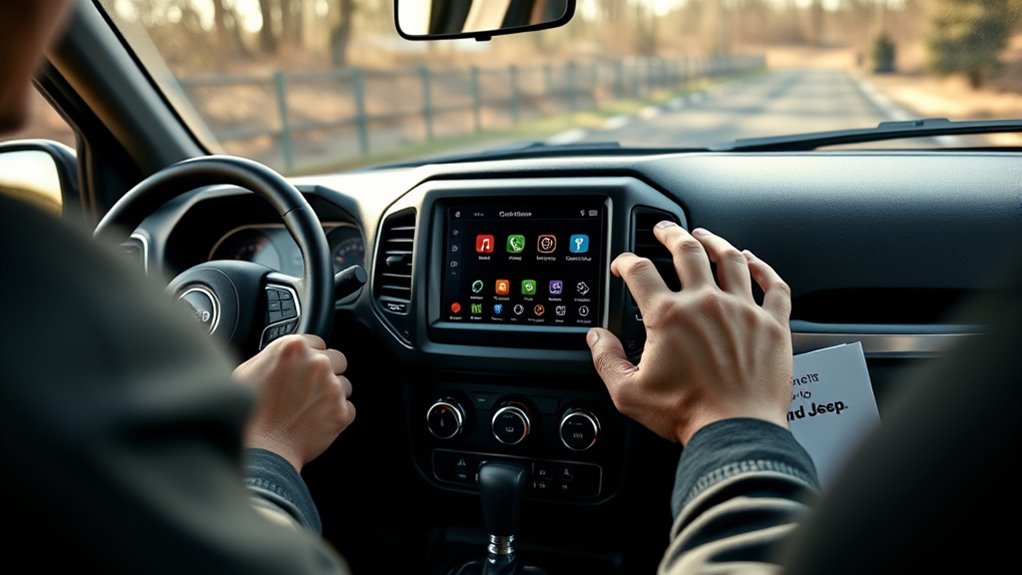
When you need to refresh your Uconnect system without losing your personalized settings, you can perform a soft reset by using the volume and tuning buttons. Start by turning on your vehicle’s ignition, but don’t start the engine.
Next, find the volume and tuning knobs on your Uconnect display. Press and hold both knobs simultaneously for about 10 seconds. Keep holding until the Uconnect logo appears on the screen, then release the buttons.
This soft reset will refresh your Uconnect system, often resolving minor glitches without erasing your saved settings, paired devices, or preferences. Using the volume and tuning buttons for a soft reset is quick and simple, making it an ideal first step if your system acts up.
Power Cycle Jeep to Reboot Uconnect System
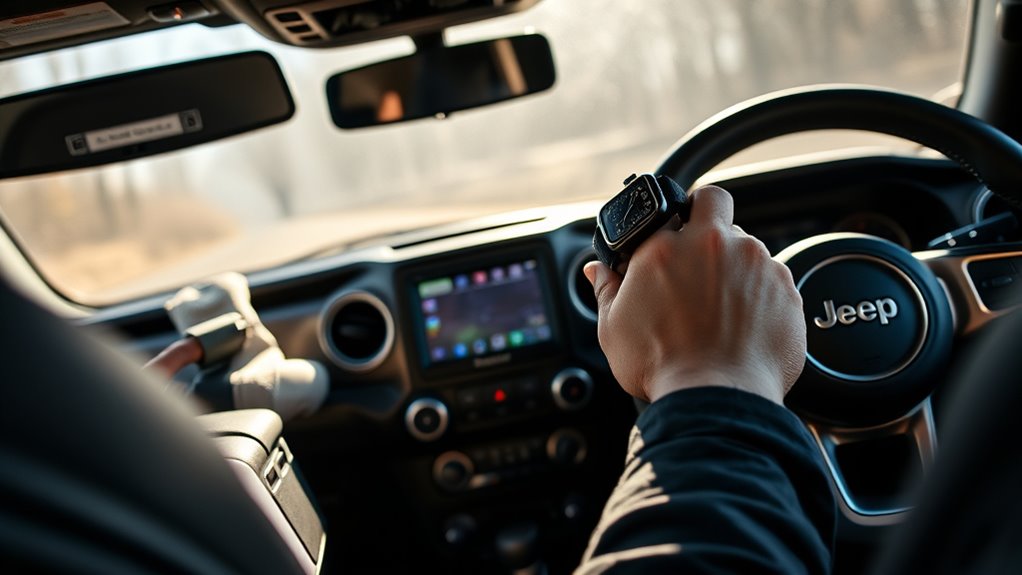
Although performing a soft reset can resolve minor glitches, power cycling your Jeep offers a more thorough reboot of the Uconnect system. To power cycle, first turn off your vehicle completely and remove the key or press the stop button to verify the system powers down.
Next, open and close the driver’s door to help drain any residual power left in the electrical system. This step is vital for a full system reboot. Wait around five minutes to let the system’s capacitors fully discharge.
Opening and closing the driver’s door helps drain residual power, essential for a complete system reboot.
After this pause, start your Jeep again. This will trigger the Uconnect system reboot, revitalizing its software and clearing more persistent glitches. Keep an eye on the Uconnect screen for the system logo or improved responsiveness, which signals a successful reboot.
Power cycling is an effective way to clear issues that a soft reset might miss, guaranteeing your Uconnect system runs smoothly.
Perform Master Reset From Uconnect Settings
If power cycling doesn’t fully resolve your Uconnect issues, performing a master reset from the system settings can restore your Jeep’s infotainment to its original factory state. Start by turning on your ignition and accessing the main touchscreen. Tap the “Settings” menu, then select “System” or “Restore Factory Settings” to initiate the reset process.
You’ll be prompted to confirm your choice. Remember, this reset will erase all personalized data and settings from the system. After you confirm, the system will reboot automatically, which might take several minutes. Make sure not to power off your vehicle during this time to avoid interruptions.
Once the reset is complete, your Uconnect system will be back to its default factory settings. You’ll need to reconfigure your preferences and reconnect any paired devices to get everything running smoothly again. This method is a reliable way to fix persistent issues by fully resetting the system.
Perform Factory Reset Using Hot and Cold Buttons
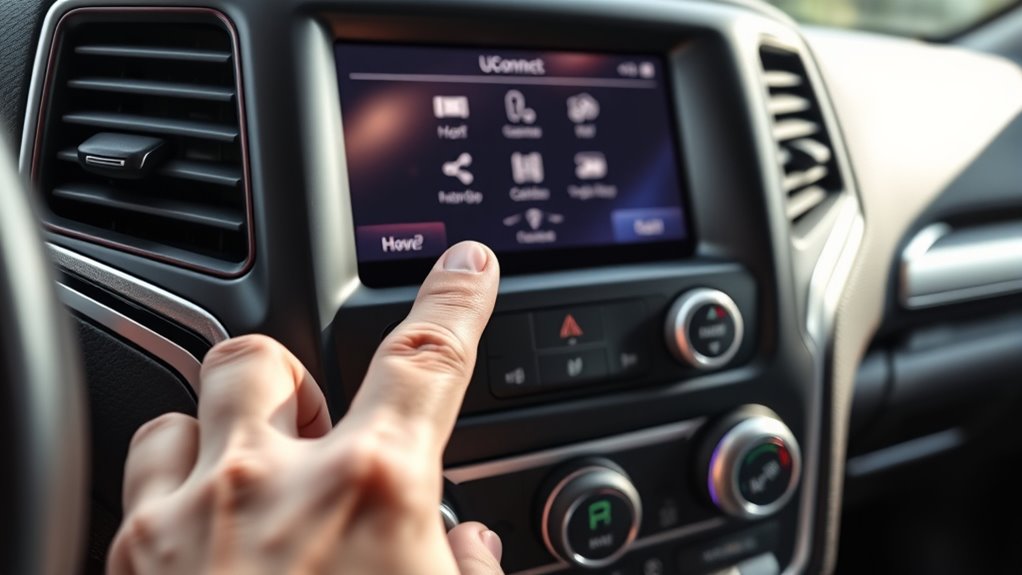
To perform a factory reset using the hot and cold buttons, start your vehicle and press both the temperature up and down buttons at the same time for about 5 seconds. Keep holding them until the screen goes dark and the Uconnect logo reappears. That means the reset is underway.
Just a heads-up, this will erase all your personalized settings, including Bluetooth pairings and saved radio stations. So, make sure you’re ready for that before you start.
Button Combination Procedure
When you press and hold the hot and cold dash buttons simultaneously while your Jeep is running, you’ll trigger the factory reset process for the Uconnect system. Keep holding these buttons for about 5 seconds until the screen goes dark and the Uconnect logo appears. This signals the reset process is underway.
Once you see the logo, release the buttons to complete the reset. This button combination procedure effectively clears system glitches, such as problems with GPS or the touchscreen, by erasing personalized settings and restoring default configurations.
Using the hot and cold dash buttons is a straightforward way to resolve many common Uconnect issues without needing extra tools or a visit to the dealer. It’s a handy first step if your system starts acting up.
Data Erasure Warning
Using the hot and cold dash buttons to reset your Uconnect system can quickly fix many issues, but it also wipes all your personalized data. When you perform this factory reset, hold both buttons for about 5 seconds with the vehicle running. The screen will go dark, then the Uconnect logo appears, signaling the reset.
Keep in mind, this method triggers complete data erasure, deleting saved settings, Bluetooth pairings, and navigation data. Once erased, you can’t recover this information. So, before proceeding, make sure to back up any important data.
After the factory reset, you’ll need to reconfigure all your customized preferences. This process restores your system to its original state, removing all personalized data to help resolve persistent issues effectively.
Calibrate Uconnect GPS After Reset
Although resetting your Uconnect system can fix many issues, you’ll need to calibrate the GPS afterward to guarantee accurate location tracking.
To calibrate your Uconnect GPS, start by parking your vehicle in an open, flat area with the ignition turned on and the vehicle stationary. Then, drive in five tight circles at speeds below 5 mph. This process helps realign the GPS antenna and improve location accuracy after a reset.
Once you complete the circles, the system may automatically recognize the calibration, temporarily boosting GPS accuracy. If your GPS still shows poor accuracy or defaults to Toledo, Ohio, repeat the calibration process.
Properly calibrating your GPS ensures that the navigation system functions correctly, providing reliable directions and preventing location errors. Taking these steps right after a reset will keep your Uconnect system running smoothly and your GPS pinpointing your exact position.
Update Uconnect Software to Prevent Future Issues
You should regularly check for Uconnect software updates using your vehicle’s VIN on the official Jeep website. Just follow the simple instructions to install them via USB. Keeping your system up to date helps prevent glitches and makes everything run smoother.
It’s a good idea to enable automatic updates, too. That way, your Uconnect stays current without you having to lift a finger.
Software Update Process
Wondering how to keep your Uconnect system running smoothly? Start by regularly updating its software. Download the latest software updates from the official Jeep Uconnect website using a Wi-Fi-enabled computer.
Next, transfer these files onto a USB drive formatted to FAT32 or exFAT. Insert the USB drive into your vehicle’s Uconnect USB port and follow the on-screen prompts to begin the update.
Make sure your engine stays running and don’t turn off the ignition during installation to avoid corrupting the software. After the update completes, verify the version to confirm it installed correctly.
If you ever face issues, try to reset Uconnect before repeating the update process. Keeping your software current helps prevent future problems and guarantees your system performs at its best.
Benefits Of Regular Updates
Regular updates to your Uconnect software deliver numerous benefits that keep your system running smoothly and securely. By installing software updates promptly, you gain access to vital security patches and system enhancements that reduce the chances of system glitches.
These updates improve navigation accuracy, Bluetooth connectivity, and touchscreen responsiveness, ensuring your Uconnect performs at its best. They also fix known bugs causing freezes or unresponsiveness, preventing frustrating recurring issues.
Furthermore, updates enhance compatibility with newer smartphones and operating systems, so your devices sync seamlessly. Keeping your Uconnect software current not only prevents future problems but also extends the system’s lifespan by maintaining its full functionality.
Regularly updating your Uconnect is a simple yet effective way to avoid headaches and enjoy a reliable in-car experience.
Troubleshoot Uconnect Issues Without Reset
Although resetting your Uconnect system can solve many problems, you can often fix common issues without going that far. To troubleshoot issues like freezing or unresponsiveness, try restarting your vehicle and performing a simple power cycle. This soft reset can clear many system glitches without erasing your settings.
Check for blown fuses related to Uconnect, as replacing them often resolves display blackouts or failures. Also, make sure your smartphone’s connectivity software is up to date and properly paired to avoid Bluetooth or CarPlay problems.
If your GPS lags or loses signal, move your vehicle to an open area with a clear sky to improve navigation performance. Finally, performing a soft reset by holding specific buttons or using the engineering menu can clear minor glitches quickly, saving you from a full system reset.
These steps help you troubleshoot issues efficiently while preserving your personal data.
When to Contact Jeep Support for Uconnect Issues
When should you reach out to Jeep Support for Uconnect issues? If resetting Uconnect doesn’t fix the problem after several tries, it’s time to contact Jeep Support.
You should also reach out if the system causes safety risks like engine shutdowns or unresponsive controls. Persistent problems such as the system reverting to factory settings, failing to update, or recurring GPS errors need professional help.
Ultimately, if diagnostic codes point to hardware or software failures, Jeep Support is your best option.
| Issue Type | When to Contact Jeep Support |
|---|---|
| Persistent Uconnect issues | After multiple reset attempts fail |
| Safety Concerns | Engine shutdowns, unresponsive controls |
| System Malfunctions | Reverts to factory settings, update failures |
| Complex Errors | GPS errors, software glitches, diagnostic codes |
Don’t hesitate to get expert help when resetting Uconnect isn’t enough.
Frequently Asked Questions
Can Resetting Uconnect Delete My Saved Radio Stations?
Resetting Uconnect usually won’t delete your saved radio stations unless you perform a full factory reset. Soft resets or power cycles keep your radio customization, Bluetooth pairing, and navigation data intact.
However, if you choose a master reset, it’ll erase all personalized settings, including radio presets. To be safe, back up your data before resetting so you don’t lose your favorite stations or other important info.
Does Resetting Uconnect Affect My Bluetooth Connections?
Of course, resetting Uconnect will totally erase your Bluetooth pairing, said no one ever unless you do a full factory reset. Most system updates or soft resets keep your Bluetooth connections intact, so your voice commands won’t miss a beat.
You’ll usually find your devices reconnect automatically, saving you from the hassle of re-pairing. Just remember, if you want a fresh start, be ready to pair again after a factory reset.
Will a Uconnect Reset Erase My Navigation History?
A Uconnect reset usually won’t erase your navigation history, especially if you’re doing system troubleshooting or software updates. Vehicle diagnostics resets often keep your saved destinations intact.
However, a full factory reset might wipe all personalized data, including navigation. So, if you want to avoid losing important info, back up your navigation before resetting.
Always check your Jeep’s manual for specific reset details to be safe.
How Often Should I Reset My Uconnect System?
You should reset your Uconnect system only when you notice freezing, unresponsiveness, or errors. After a system update, firmware upgrade, or software reinstall, a reset helps guarantee everything runs smoothly.
Don’t reset regularly just for maintenance; instead, focus on updating your software to prevent issues. Resetting too often can erase your settings and history, so save it for troubleshooting or post-upgrade to keep your system performing at its best.
Is It Safe to Reset Uconnect While Driving?
No, you shouldn’t reset Uconnect while driving. Doing so can distract you and temporarily disable features like navigation and Bluetooth, which you rely on for safe driving.
If you face connectivity issues or need system troubleshooting, it’s best to carry out software updates and resets only when your Jeep is parked and turned off. This keeps you safe and ensures the system resets properly without risking your focus on the road.
Conclusion
Resetting your Uconnect system can solve up to 80% of common issues, making your Jeep’s tech feel brand new. By following these easy steps, you’ll quickly get back to enjoying seamless navigation, entertainment, and connectivity.
Remember, keeping your software updated and knowing when to reach out for support will keep your system running smoothly. Don’t let glitches slow you down. Take control and drive with confidence every time you hit the road.