8 Steps to Reset Oil Change Light on Jeep Renegade
To reset the oil change light on your Jeep Renegade, start by parking on a flat surface and turning the ignition to “On” without starting the engine.
Use the steering wheel or dashboard buttons to access the “Oil Life” or “Maintenance” menu.
Then select and hold the reset option until a confirmation appears.
Finally, turn off the ignition and restart to confirm the light’s cleared.
If the light stays on, you’ll want to explore troubleshooting tips and maintenance advice next.
Key Takeaways
- Turn the ignition to “On” without starting the engine and ensure the driver’s door is open to access the reset menu.
- Use the steering wheel buttons to navigate to “Settings” or “Vehicle Info” and select the “Oil Life” or “Maintenance” option.
- Highlight “Reset Oil Life” or “Oil Change,” then press and hold the OK or reset button until a confirmation message appears.
- Turn off the ignition and restart the vehicle to confirm the oil change light has been reset and is no longer displayed.
- If the light persists, verify the reset steps, check oil levels, or use an OBD-II scanner for manual clearing.
Prepare Your Jeep Renegade for Reset: Ignition and Vehicle Setup

Before you begin resetting your Jeep Renegade’s oil change light, make sure the vehicle is parked on a flat surface with the engine off. This setup guarantees safety and accuracy during the reset process.
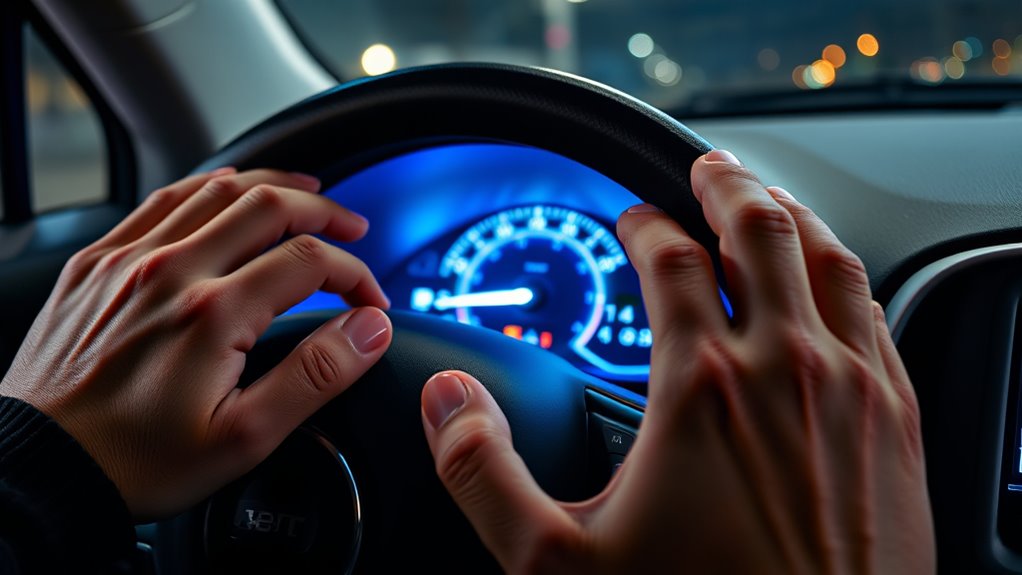
Next, turn the ignition to the “On” position without starting the engine, or press the start button once to enter accessory mode. This powers the dashboard without running the engine, giving you access to essential controls.
Be sure all doors are closed except the driver’s door, preventing any interruptions. Keep your dashboard and control buttons within easy reach to smoothly navigate the maintenance menu.
Since button sequences may vary by model year, check your owner’s manual for specific instructions. Getting these details right before proceeding saves time and avoids frustration.
With your Jeep Renegade properly prepared, ignition on, doors set, and dashboard ready, you’re set to move confidently into the next step of resetting the oil change light.
Turn On Ignition to Access the Oil Change Light Menu
Start by turning your ignition to the “On” position without actually starting the engine. This will activate the dashboard lights. Doing this powers up your vehicle’s electrical system and makes sure the oil change indicator is visible.
Once that’s done, get ready to use your steering wheel controls or the buttons on your dashboard to navigate through the oil change light menu. It’s pretty straightforward from here!
Ignition Modes Explained
Although you won’t start the engine, turning the ignition to the “On” position powers all electronic systems and lights on your Jeep Renegade’s dashboard. This allows you to access the oil change light menu. The ignition “On” mode activates the vehicle’s electronic control units, making the dashboard fully operational. This lets you navigate through menus using controls without engaging the engine.
Key points about ignition modes include:
- The “Off” position powers down all systems and dashboard lights.
- The “Accessory” mode activates some electronics but not the dashboard’s full menu.
- The “On” position powers all dashboard lights and electronic systems without starting the engine.
- Starting the engine moves beyond the “On” mode, powering mechanical components.
Understanding these modes helps you properly access and reset the oil change light via the dashboard.
Dashboard Activation Steps
When you turn the ignition key to the “On” position without starting the engine, your Jeep Renegade’s dashboard powers up, allowing you to access the oil change light menu. Give it a few seconds for the dashboard lights and warning lights to fully activate.
If your Renegade has a push-button start, press the start button without pressing the brake pedal to enter accessory mode. Check the dashboard to see if the oil change light or service menu appears.
If it doesn’t show up automatically, use the steering wheel controls or dashboard buttons to navigate through the menus. This method guarantees you can easily access the oil change light menu without starting the engine, making the reset process straightforward and efficient.
Preparing Vehicle Controls
How do you prepare your Jeep Renegade to access the oil change light menu? First, turn the ignition to the “On” position without starting the engine. This powers the dashboard and vehicle electronics, letting you navigate the settings. Make sure all doors are closed except the driver’s to avoid interruptions.
Watch the dashboard as warning lights or maintenance messages appear. Use the steering wheel or dashboard controls to find the menu displaying oil change information.
- Turn ignition key to “On” without starting the engine
- Close all doors except the driver’s
- Observe the dashboard for maintenance alerts
- Use steering wheel or dashboard controls to navigate menus
Following these steps ensures you’re ready to reset the oil change light efficiently.
Navigate to the Oil Life or Maintenance Section
Before you can reset the oil change light, you’ll need to access the vehicle’s main menu using the steering wheel controls or buttons near the instrument cluster. Start by pressing the appropriate button to bring up the main menu on the dashboard display.
From there, navigate to the “Settings” or “Vehicle Info” option, where you’ll find the maintenance menu. Use the arrow keys or dial to scroll through the options until you locate the “Oil Life” or “Maintenance” section. This is the area dedicated to monitoring your vehicle’s oil status.
Once inside the maintenance menu, look for the reset function related to the oil change indicator. Highlight this option but don’t select it yet, as you’ll execute the reset in the next step. This navigation process guarantees you’re in the right spot to accurately reset the oil life indicator on your Jeep Renegade without any confusion.
Select and Execute the Oil Change Light Reset
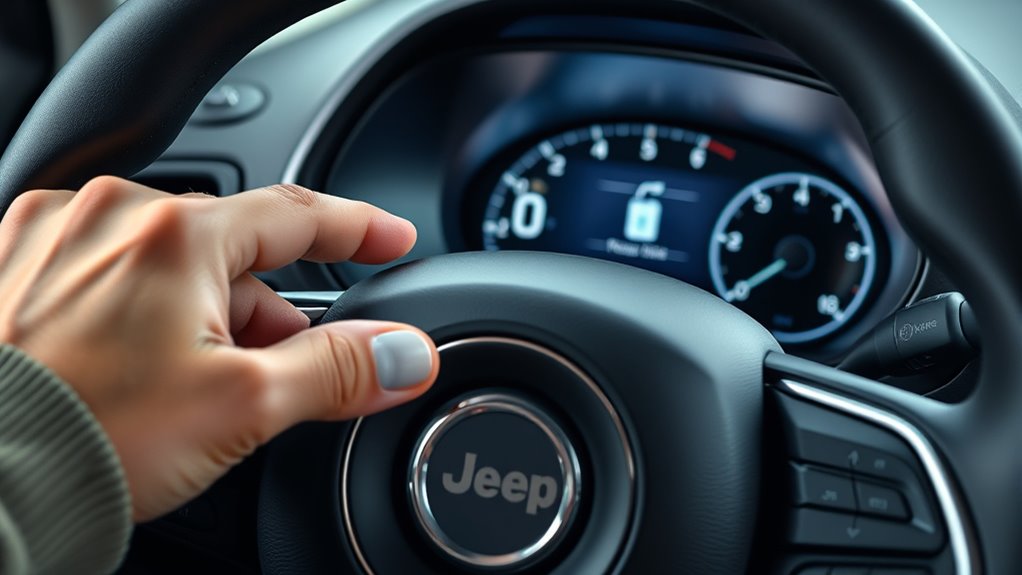
Once you’re in the maintenance menu, go ahead and select the oil change or reset oil life option. Then, confirm your choice by pressing the OK or reset button to clear the indicator. After that, turn off the ignition and restart your Jeep to make sure the light has reset. Easy as that!
Access Maintenance Menu
To access the maintenance menu on your Jeep Renegade, turn the ignition to the accessory position without starting the engine. This lets you navigate your vehicle’s settings without powering the engine fully. Use the steering wheel controls or dashboard buttons to access the maintenance menu.
Once inside, locate the “Oil Life” or “Service” menu, which contains the reset options for your oil change light.
Here’s how to access and reset the oil change indicator:
Use the arrow buttons on the steering wheel to scroll through menu options. Select the “Oil Life” or “Service” submenu. Choose the “Reset” option to initiate the oil change light reset. Follow prompts to confirm the reset and turn off the indicator light.
This process ensures you properly access and execute the reset within the maintenance menu.
Confirm Reset Selection
How do you confirm the oil change light reset on your Jeep Renegade? After navigating to the maintenance menu, use the arrow buttons to highlight the “Oil Change” or “Oil Life” reset option.
Once your reset selection is highlighted, press the OK or select button to confirm your choice and access the reset function. Then, press and hold the OK or enter button until a confirmation message appears on the screen.
This prompt confirms that the reset has been executed successfully. Make sure you see this message before exiting the menu to ensure the reset process is complete. By following these steps, you confirm the reset selection and effectively clear the oil change light on your dashboard.
Verify Reset Completion
After confirming your reset selection, you’ll need to execute the oil change light reset to clear the warning from your Jeep Renegade’s dashboard. Start by pressing the confirm or OK button while the “Oil Change” reset option is highlighted. Hold the button until you see a confirmation message or the warning light blinks off.
This confirms the reset completion and clears the alert from the instrument cluster. Finally, double-check that the oil change light or message has vanished from the dashboard.
Ensure the reset option is properly highlighted before confirming. Press and hold the confirm button to initiate reset completion. Wait for confirmation on the instrument cluster. Verify the oil change light is fully cleared after reset.
Following these steps guarantees your Jeep’s oil change light resets correctly.
Verify the Oil Change Light Reset on Your Jeep Renegade
Wondering if your Jeep Renegade’s oil change light reset worked? Start by turning on your vehicle and watching the dashboard closely. If the oil maintenance indicator stays off, your reset was successful.
Some models show a wrench icon or a “Service” alert, which should vanish after a proper reset. To double-check, use your vehicle’s menu controls to navigate to the maintenance or oil life reset section; it should confirm the oil change reminder is cleared.
After the reset, turn the ignition off and back on to ensure the oil change warning light or message doesn’t reappear. If the light still shows, it’s a sign the reset might not have been done correctly.
In that case, revisit the reset steps or consult your owner’s manual for guidance. Staying attentive to the dashboard guarantees your Jeep Renegade’s maintenance alerts stay accurate and timely.
Troubleshoot Oil Change Light Reset Issues
If your Jeep Renegade’s oil change light won’t reset despite following the steps, there are a few common issues to check. First, make sure your vehicle is in accessory mode or ignition on without starting the engine before you try the reset procedure. Also, verify that all other dashboard warning lights are off, since residual alerts can block the reset. Using the correct reset procedure for your model year is essential. Manual or menu-based attempts might differ. If the light still won’t reset, you might need a more advanced diagnostic approach.
Consider these troubleshooting steps:
Consider these troubleshooting steps to effectively reset your Jeep Renegade’s oil change light and resolve persistent issues.
- Confirm the ignition mode is correct during the reset attempt
- Check for any other warning lights that might interfere
- Disconnect the battery briefly to reset the ECU electronically
- Use an OBD-II scanner compatible with Jeep to clear the oil change light
Following these tips helps guarantee you complete the reset properly and avoid persistent issues.
Why the Oil Change Light May Stay On After Reset
Why does the oil change light stay on even after you’ve reset it? Often, it’s because the reset procedure wasn’t completed correctly. Jeep Renegade models sometimes demand specific steps or menu navigation to clear the indicator fully. Skipping any part of this process can leave the light active.
Furthermore, if the system detects unresolved issues, like low oil level or abnormal oil pressure, the warning won’t turn off regardless of your reset attempts. Another common cause is a faulty sensor or electronic glitch, which can falsely keep the light on.
In some cases, the vehicle’s system requires a diagnostic scan to pinpoint underlying problems before the oil change light can reset properly. So, if you’ve followed the reset procedure but the light persists, consider checking for these issues to avoid overlooking potential engine concerns.
Tips for Maintaining Your Jeep Renegade’s Engine Health
Maintaining your Jeep Renegade’s engine health starts with regularly checking the oil level and quality to guarantee peak performance. Keeping an eye on your oil helps you avoid engine wear and ensures your vehicle runs smoothly.
Always use the recommended oil type, like synthetic 0W-20, and stick to the manufacturer’s suggested oil change intervals. After each oil change, don’t forget to reset the oil change light to keep your maintenance schedule accurate.
Here are key tips to maintain your Jeep Renegade’s engine health:
- Follow oil change intervals between 5,000 and 20,000 km based on your driving conditions.
- Use the correct oil type to enhance engine longevity.
- Reset the oil change light promptly after servicing to track maintenance.
- Address any warning signs like rough idling or unusual noises immediately to prevent damage.
Frequently Asked Questions
How Often Should I Change the Oil in My Jeep Renegade?
You should change your Jeep Renegade’s oil every 5,000 to 7,500 miles, but that depends on your driving conditions. Always use the oil viscosity recommended by the manufacturer to keep your engine running smoothly.
Don’t forget to replace the oil filter during every oil change to prevent contaminants from damaging your engine. Keep an eye on oil consumption, especially if you notice it increasing, as that might mean you need more frequent oil changes.
What Type of Oil Is Recommended for the Jeep Renegade?
Imagine you’ve just switched to synthetic 0W-20 in your Jeep Renegade and noticed smoother engine performance. You should use synthetic oils with the correct oil viscosity, like 0W-20 or 5W-20, depending on your engine.
These oils often contain advanced oil additives that protect your engine and improve fuel efficiency. Always check your owner’s manual to verify you’re using the right oil viscosity and additives for maximum performance and longevity.
Can I Reset the Oil Change Light Without Using the Steering Wheel Controls?
Yes, you can reset the oil change light without using the steering wheel controls. Depending on your Jeep Renegade model, you might perform a manual reset by using specific pedal and button sequences.
Alternatively, a diagnostic tool can reset the light if manual methods don’t work. Check your owner’s manual to find the exact procedure for your year, since some models rely heavily on steering wheel controls while others offer manual or tool-based options.
Does Resetting the Oil Change Light Affect My Vehicle Warranty?
About 80% of warranty claims depend on proper maintenance documentation. Resetting your oil change light won’t affect your warranty coverage as long as you follow manufacturer requirements and service intervals.
The light is just a reminder, so it doesn’t change your warranty status. However, skipping oil changes or neglecting maintenance could void parts of your warranty. Always stick to recommended schedules to keep your coverage intact.
What Does It Mean if the Oil Change Light Blinks Instead of Staying Solid?
If the oil change light blinks instead of staying solid, it means your dashboard alert is warning you about a more serious issue, often related to low oil pressure or a malfunction in the oil monitoring system.
This blinking warning indicator signals that you shouldn’t ignore it, as it could indicate engine damage risk. You should check your oil level immediately and consider having your vehicle inspected to avoid costly repairs.
Conclusion
Now that you know the steps to reset your Jeep Renegade’s oil change light, you might think the job’s done, right? Not quite. What if that light flickers back on unexpectedly, or worse, doesn’t reset at all?
There’s more to maintaining your engine’s health than just hitting a button. Stick around because revealing these secrets could save you from costly repairs and keep your Jeep running like new for miles to come.